> ## Documentation Index
> Fetch the complete documentation index at: https://docs.subtrakr.app/llms.txt
> Use this file to discover all available pages before exploring further.
# Space Settings
> Configure your Space name and Space currency for consistent subscription tracking
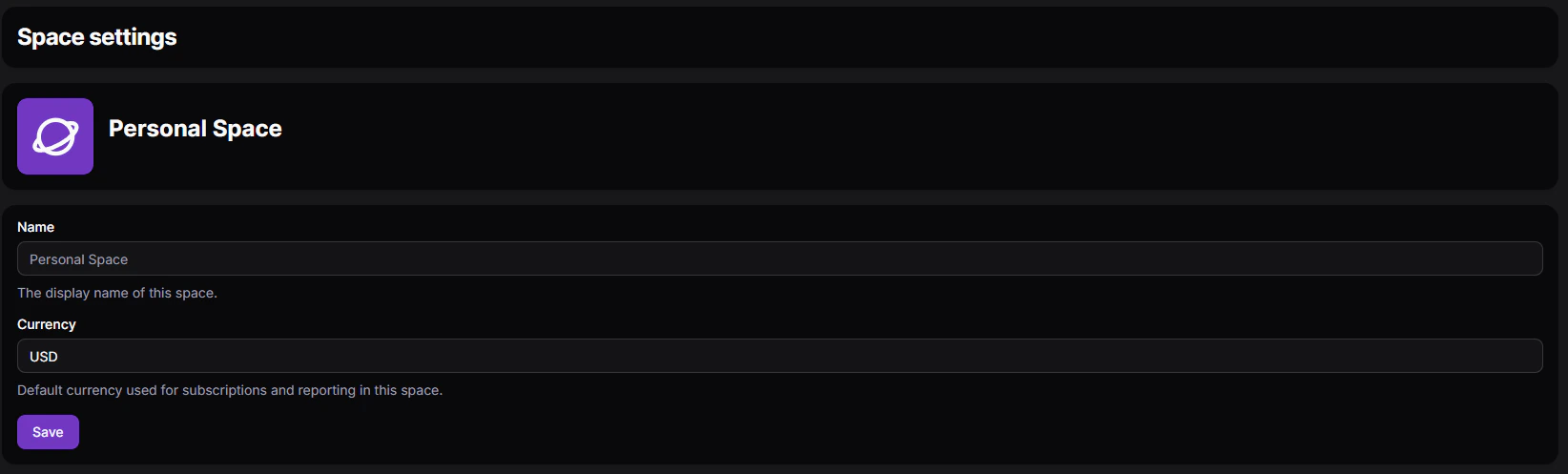
The Space Settings page lets you configure the current Space.
You can access it from **Settings** while working in the Space you want to update.
 ## What You Can Configure
* **Space Name** - Set the display name of your Space (for example, Personal, Marketing Team, or Client Project).
* **Space Currency** - Select the currency used across all subscriptions in this Space.
## Space Currency Dropdown
The currency field is a dropdown that lists all available currencies.
When you choose a currency, all subscriptions in that Space use the selected currency for totals and reporting.
If you need multiple currencies, create separate Spaces and assign one currency per Space.
## What You Can Configure
* **Space Name** - Set the display name of your Space (for example, Personal, Marketing Team, or Client Project).
* **Space Currency** - Select the currency used across all subscriptions in this Space.
## Space Currency Dropdown
The currency field is a dropdown that lists all available currencies.
When you choose a currency, all subscriptions in that Space use the selected currency for totals and reporting.
If you need multiple currencies, create separate Spaces and assign one currency per Space.